Wi-Fi Dead Zones in Evergreen & Foothill Homes | Mesh Wi-Fi Help
If you live in Evergreen or anywhere in the foothills west of Denver, you probably know the routine. The video call freezes when you walk into the kitchen. The TV in the basement buffers every Sunday. The security camera over the garage drops offline right when you want to check on a delivery.
It's easy to blame your internet provider. Most of the time, though, the problem isn't the speed coming into your house. It's how that signal gets spread around once it's inside.
With snow season starting and more time spent indoors, now is a good moment to understand what's going on and what actually fixes it.
Why mountain and foothill homes are hard on Wi-Fi
Wi-Fi is a radio signal, and radio signals don't like obstacles. Homes in the foothills tend to stack up several of them at once:
- Size and layout. Many homes here are larger than a typical suburban build, often spread across three or more levels with walkout basements and long wings.
- Building materials. Stone fireplaces, log walls, concrete foundations, tile floors over radiant heat and even large mirrors all absorb or reflect wireless signal.
- Where the router lives. The internet line usually comes into a utility room, basement corner or garage. That's convenient for the installer, but it puts your only Wi-Fi source at the edge of the house.
- More devices than ever. Phones, laptops, smart TVs, thermostats, doorbells, cameras and smart speakers all share the same network. A single router was never designed to carry that load across a big home.
Put those together and you get exactly what so many homeowners describe: great Wi-Fi in one room, almost nothing two floors up.
Why extenders usually don't solve it
The common quick fix is a plug-in Wi-Fi extender from a big-box store. Extenders can help in a pinch, but they come with trade-offs:
- Many extenders repeat the signal on the same radio they receive it on, which can noticeably cut the speed you get on the far side.
- They often create a second network name, so your phone clings to a weak connection instead of switching to a stronger one.
- They can only rebroadcast what they hear. If the extender sits in a spot with a weak signal, it simply passes along a weak signal.
The result is a house full of blinking gadgets and Wi-Fi that still isn't dependable.
What a mesh network does differently
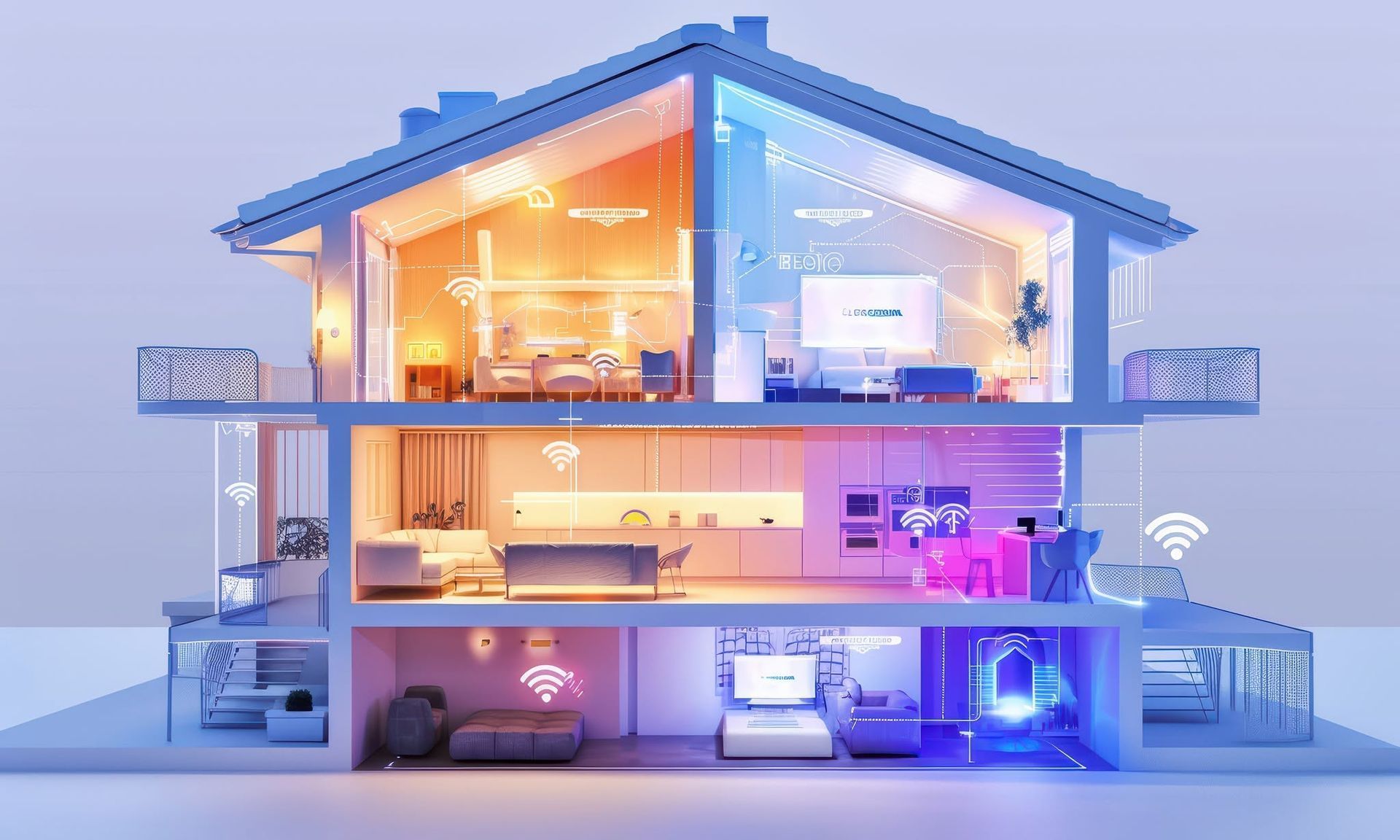
A mesh network replaces the "one router plus extenders" setup with a coordinated system. Several access points are placed around the home and work together as a single network with one name and one password.
As you move from the office to the deck to the basement, your devices hand off to the nearest access point automatically. There's no reconnecting and no guessing which network you're on.
The biggest difference comes from how those access points talk to each other:
- Wireless backhaul: access points connect to each other over Wi-Fi. This is easier to install and works well in many homes.
- Wired backhaul: access points connect over Ethernet cable. This is the gold standard for larger homes, because each access point gets a full-speed connection no matter how many walls are in the way.
In foothill homes with stone, log or concrete between floors, wired backhaul is often what turns "better" Wi-Fi into Wi-Fi you never think about.
Mesh kits vs. a professionally designed network
Consumer mesh kits have come a long way, and for a smaller home they can be a reasonable choice. Larger and more complex homes usually benefit from a designed system, built on business-grade equipment such as Ubiquiti UniFi, with a few key differences:
- Placement is planned, not guessed. Access points go where the coverage is needed, including ceilings, basements, garages and outdoor spaces.
- Cabling where it matters. Running Ethernet to key locations gives you wired backhaul and stable connections for TVs, offices and cameras.
- Separate networks for different devices. Smart home gadgets and cameras can sit on their own network, apart from the laptops and phones that hold your personal information.
- Room to grow. Adding coverage to a detached garage, shop or patio later is simple when the system was designed for it.
- Visibility and support. A managed system makes it easier to see what's connected, apply updates and troubleshoot problems quickly.
Signs it's time to upgrade your home network
- Some rooms have little or no signal
- Video calls or streaming drop at the same times every day
- Outdoor cameras or doorbells keep going offline
- You've added extenders and things still aren't reliable
- You're adding smart home features, security cameras or a home theater
- More people in the house are working or learning from home
If two or more of those sound familiar, your network is probably the bottleneck, not your internet plan.
How Celery City Technology approaches whole-home Wi-Fi
Celery City Technology's founder brings more than 10 years of networking, A/V and smart technology experience, including seven years as a network engineer in the banking industry. That background shapes how we design home networks: reliable, secure and easy to live with.
Every project starts with understanding your home and how you use it. From there we design coverage for every space you care about, install it cleanly and make sure it works before we leave. Whether you need a few well-placed access points or a full network that supports cameras, smart lighting and a home theater, the goal is the same: technology that just works.
Tired of fighting dead zones? Contact Celery City Technology to schedule a whole-home Wi-Fi consultation for your Evergreen or foothills home.
Frequently asked questions
What is the best Wi-Fi setup for a large home in Evergreen, CO? For most larger foothill homes, a mesh network with several access points, ideally connected by Ethernet (wired backhaul), delivers the most consistent coverage. The right number of access points depends on square footage, number of levels and building materials.
Will a faster internet plan fix my dead zones? Usually not. A faster plan increases the speed coming into the house, but it doesn't change how far your Wi-Fi reaches. If some rooms are weak and others are fine, the fix is better coverage inside the home.
Is mesh Wi-Fi better than a Wi-Fi extender? In most cases, yes. Mesh systems act as one coordinated network with automatic hand-off between access points, while extenders often reduce speed and create separate networks your devices struggle to switch between.
Can Wi-Fi reach my detached garage, shop or deck? Yes. Outdoor-rated access points or a wired connection to an outbuilding can extend coverage to garages, workshops, patios and cameras outside the main house.
Do I need Ethernet cable run through my house for mesh Wi-Fi? Not always. Many homes work well with wireless backhaul. In homes with stone, log or concrete construction, running cable to a few key spots usually makes a big difference in reliability.